
Before installing the first solar panel or validating the orientation of a future terrace, it is necessary to measure what the sun actually offers to the site. Google Earth and associated tools (Google Maps, Solar API) allow for a preliminary assessment of the solar exposure of a plot or roof from a distance, without specialized equipment.
The question that structures this article: how reliable are these digital estimates, and where are their blind spots compared to a traditional site study?
Google Solar Simulation Tools: Coverage and Resolution Compared
Three Google tools coexist to analyze the sunlight exposure of a site. Their data do not fully overlap, and their level of detail varies depending on the geographical area.
| Tool | Type of Data | Geographical Coverage | Main Limitation |
|---|---|---|---|
| Google Earth (web) | Relief, slope, terrain orientation | Global | No calculation of shadows cast by buildings |
| Google Maps (Street View / aerial imagery) | Outdated aerial views, cardinal orientation | Global (variable resolution) | Approximate date of images, vegetation sometimes outdated |
| Google Solar API | Estimated solar flux on roofs, simulated shadows | Partial (covered cities, patchy rural areas) | Insufficient resolution for small obstructions |
The sunlight simulation on Google Earth relies on slope and orientation layers of the terrain. This data helps identify slopes favorable for solar exposure, but it does not model nearby obstacles (chimneys, trees, neighboring buildings).
The Solar API, developed by Google Maps Platform, goes further by estimating the solar flux received by a roof based on aerial images. The official documentation distinguishes several levels of quality related to image resolution. Less detailed images may poorly represent small obstructions and roofing elements such as skylights or ventilation ducts.

Reliability of Solar Estimates from Aerial Imagery
The main blind spot of these tools lies in the date and quality of the images used. A solar estimate based on aerial views can be skewed as soon as the surrounding vegetation has changed since the image was taken.
- The growth of trees alters the shadows cast on a roof within a few years. A linden tree that was six meters tall during the aerial survey may exceed the ridge line at the time of installation.
- Seasonal foliage radically changes the shadow profile: an image taken in winter underestimates the summer obstruction from deciduous trees, and vice versa.
- Branches overhanging a roof are not always detected by solar modeling algorithms, especially at low resolution.
- Recent constructions (extensions, new neighboring buildings) do not appear in images dated several years back.
For a residential photovoltaic project, these discrepancies between the digital model and the reality of the site justify a site visit. The Google result should be treated as a preliminary assessment, not as a definitive measurement.
Concrete Case: Wooded Lots and Sloped Land
On a northeast-facing sloped lot, Google Earth quickly indicates that the orientation is unfavorable for solar production. The aspect layers (orientation of slopes) display this information unambiguously.
However, on a partially wooded plot, the tool does not distinguish between a dense forest cover and a sparse area. Estimating the actual sunlight exposure on the ground then requires a shadow survey on site, ideally at several times of the year.
Photovoltaic Projects and the French Regulatory Framework
The use of Google Earth for a solar project is not limited to estimating light potential. The regulatory framework imposes constraints that directly influence site selection.
The law of November 26, 2025, modified the obligations for solarizing outdoor parking lots in France. For project developers of photovoltaic canopies, verifying the current text is necessary before launching a feasibility study. The conditions for postponing deadlines have been clarified, which may alter the timeline of a project on large parking lots.
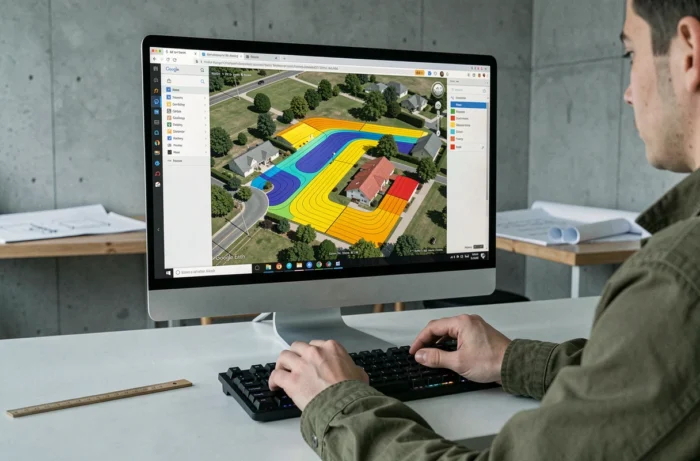
Google Earth assists in a preliminary visual assessment of the available surface on a parking lot or flat roof. The surface measurement integrated into the tool provides a rough estimate, but regulatory tolerances (setbacks from property lines, non-buildable zones) are not taken into account.
Software Supplements to Refine Analysis
Several specialized software programs (PVsyst, Helioscope, SketchUp with solar extension) utilize elevation data from Google Earth to build a 3D model of the site and simulate shadows hour by hour. These tools transform the Google preliminary assessment into an exploitable production study for an installer.
The difference between a simple Google Earth overview and a complete simulation lies in the consideration of nearby solar masks. A tree, a neighboring building, a hill can significantly reduce the annual output of a system, and only a calibrated 3D model with recent site data can quantify this.
Practical Method to Utilize Google Earth in a Solar Project
Using Google Earth as a starting point for a project requires following a logical order to avoid overestimating the site’s potential.
- Check the orientation of the land or roof via the slope and aspect layers in Google Earth web. A south-facing slope with a moderate incline concentrates the best potential in our latitudes.
- Consult the approximate date of the aerial images (displayed at the bottom of the screen on Google Earth). If the images are over three years old, plan for a site verification of the vegetation.
- Cross-reference with the Solar API (if the area is covered) to obtain an estimate of the annual solar flux on the roof.
- Confront this data with a site visit, noting solar masks absent from the images (antennas, chimneys, recent extensions).
This sequence allows for quickly filtering out clearly unsuitable sites before incurring the cost of a complete technical study. Google Earth narrows the analysis scope; it does not replace the engineering office.
The most useful data these tools provide remains the orientation and topography of the site, two parameters that are stable over time. The production estimates, however, depend on elements that only a recent inspection can confirm.